
In this article+
Bot traffic is every visit to your website that comes from software instead of a person. Most of it is harmless, and some of it you want, like Google indexing your pages. But bots can also take a site offline without anyone attacking it. This month I watched OpenAI’s and Meta’s crawlers do exactly that to a client’s online store, and nobody involved meant any harm.
The store is Revive Peptides, a Canadian shop my team moved onto our hosting on November 24, 2026. Before the move the site kept going down. Afterwards, the server logs showed exactly why. Below is what the bots were doing, how we stopped them without blocking anyone, and what to check on your own site.
What is bot traffic?
Bot traffic is any request to your website made by software: search engine crawlers, AI crawlers, SEO tools, uptime monitors, scrapers and attack scripts. It now makes up about half of all web traffic.
How much depends on who is counting. Imperva’s 2025 Bad Bot Report says automated traffic now accounts for 51% of all web traffic, and that bad bots alone make up 37%. Cloudflare, which sees a big share of the internet from a different angle, puts bots at around 30% of global web traffic. Either way, a large part of what hits your server was never a customer.
The usual advice splits bots into good and bad. Good bots are search engines and the services you signed up for. Bad bots scrape prices, test stolen card numbers, try passwords and fill in forms with spam. That split is useful, but it misses the case I want to talk about: well-behaved bots from big, legitimate companies that still overload a site because the site gave them an endless number of pages to crawl.
Which bots are crawling your website?
Search engines, AI companies, social networks, SEO tools and scrapers. Each identifies itself with a user agent name, and the big ones publish what their crawler is for.
These are the names I see most often in the logs of the sites my team hosts:
- Googlebot and Bingbot. Search engine crawlers. You want these.
- GPTBot. OpenAI says GPTBot is used to make its generative AI foundation models more useful and safe. In plain terms, it collects pages for training.
- OAI-SearchBot. The crawler OpenAI uses to show websites in ChatGPT’s search features. It is separate from GPTBot.
- ChatGPT-User. Visits a page when someone using ChatGPT asks about it. OpenAI says it is not used to crawl the web automatically.
- meta-externalagent. Meta’s AI crawler. Meta says it crawls the web for use cases such as training foundation AI models or indexing content directly.
- facebookexternalhit. Meta’s link-preview fetcher. It loads your page when someone shares a link to it on Facebook, Instagram or WhatsApp.
- SEO tool crawlers. SE Ranking, Ahrefs, Semrush and others crawl sites to build backlink and ranking databases.
AI crawlers are the fastest-growing group. Cloudflare measured GPTBot’s requests rising 305% from May 2024 to May 2025, taking its share of crawler traffic from 2.2% to 7.7%. That growth is a big part of why owners are seeing requests they can’t place.
How can bot traffic take a website down?
Every bot request uses the server’s processor, memory and database. When bots send thousands of requests an hour to pages that can’t be cached, a small hosting plan runs out of capacity and real visitors get errors.
That is what was happening to Revive. When Peter, who runs the store, first got in touch, the site kept going down on its old host. He was seeing “508” errors, the processor sat at 100%, and the account kept hitting its limit of 20 processes. A 508 on a shared host usually means the account has used up its resource allowance, so the server refuses new visitors until something frees up.
Someone had tried to fix the bots before we got there, and the fix made things worse. A bot-blocking rule had been added to the server config, and one line in it matched the version number of the current Chrome and Edge. Every shopper on an up-to-date Chrome or Edge browser got a “Forbidden” page, while every check run from the server side said the site was fine. We removed that one line, kept the real bot rules, and the store loaded for everyone again within half an hour of our first call. Never block a browser version to stop bots. Browsers update every few weeks, and the rule ends up blocking your customers.
What were the bots doing on this store?
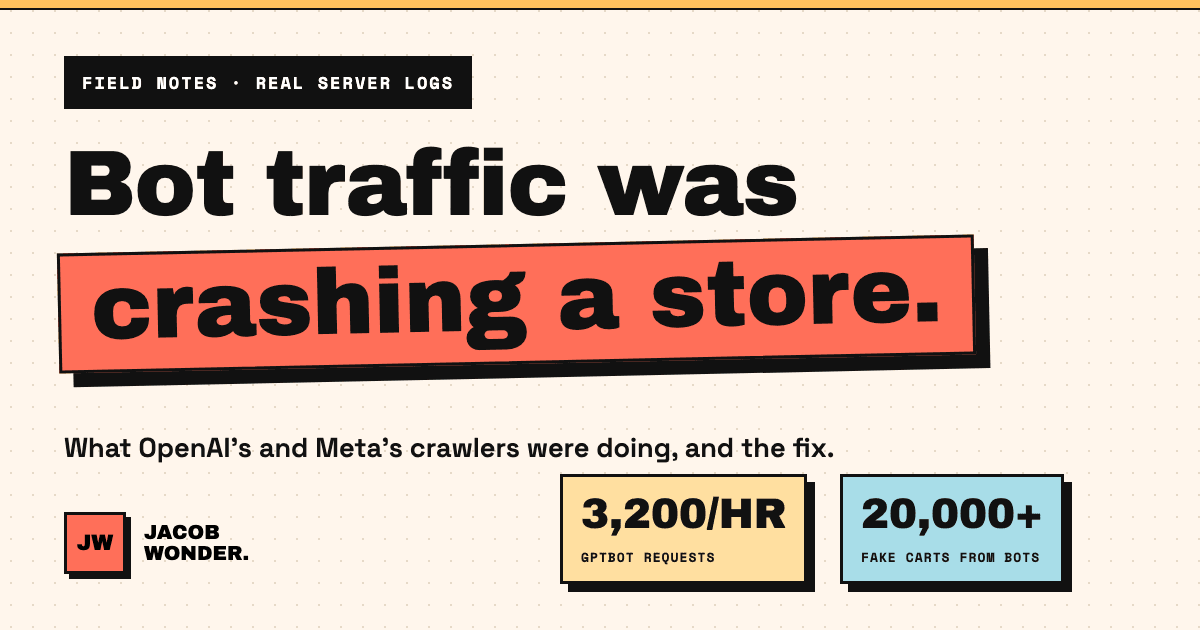
Following the shop’s filter links. GPTBot was requesting about 3,200 filtered shop pages an hour, more than three times the requests from every real browser combined, and Meta’s crawler kept pressing add-to-cart.
We moved the store to our server on the evening of November 24. The bots came with it, because the cause was in the site, not the host. Here is what the access log showed over 11 hours on the new server, from 4 a.m. to 3 p.m. UTC on November 25, before our fix went in:
| Who | Requests in 11 hours | What it was hitting |
|---|---|---|
| GPTBot (OpenAI) | 35,292 | 99.9% filtered shop pages |
| Browsers (people) | 10,389 | Normal pages |
| meta-externalagent (Meta) | 8,149 | Filtered pages and add-to-cart links |
| SE Ranking | 3,170 | Shop pages |
GPTBot held a steady pace of about 3,000 to 3,700 requests every hour, and almost every one was a URL like /shop/?filter_category=cognitive-energy,skin-hair-anti-aging,best-sellers,supplies,... with a different mix of categories. That day, Meta’s crawler made 4,701 add-to-cart requests that the store accepted, and every one of them created a shopping cart in the database. Over time that left more than 20,000 fake cart sessions.
None of these companies was attacking the store. Their crawlers follow links, and the store kept handing them new ones.
Why do filters and add-to-cart links trap bots?
Each filter combination is a new URL, so a few filters create millions of pages. Crawlers follow every link they find, and pages like these can’t be served from cache.
Revive’s theme let shoppers tick several categories at once. With 12 categories, that is 4,096 possible combinations before you add sorting, products per page and grid or list view, and each combination had its own link on the page. Google’s own documentation on faceted navigation warns that this kind of URL setup can generate infinite URL spaces, and that crawlers will request a very large number of those URLs before working out they are useless.
Add-to-cart links are worse. In many store themes the button in the product grid is a plain link with ?add-to-cart=123 on the end, so a crawler that follows it starts a cart session, the server writes it to the database and the page skips the cache. Multiply that by thousands an hour and you get a slow store with a bloated database.
Any site that makes a new URL for every combination of something has the same trap: event calendars with a “next month” link that never ends, internal search results pages, tag pages that can be combined, and sort or filter options on listings. If you have one of those, your logs are probably full of bots walking through it.
How do you stop bot traffic on a website without blocking customers?
Find which bots are hitting which URLs, close the traps they are stuck in, make sure bots can’t trigger actions like carts, and cache everything public. Block only the bots that misbehave.
Here is the order we work in, and what we did for Revive at each step:
- Read the access log, not the analytics. Google Analytics barely shows bots, because most of them never run its script. The server’s access log lists every request with its user agent. Count requests per user agent per hour, then look at which URLs the top ones are hitting. For Revive, a few minutes with the log showed the whole picture.
- Close the trap at the source. We took the multi-category filter links out of the page code, so crawlers can’t see them, and a small script puts them back when a shopper clicks. Shoppers can still filter by several categories. We also hid the products-per-page and grid-or-list switchers, which added more URL variations without helping anyone.
- Stop bots from taking actions. The add-to-cart buttons in the product grid now link to the product page, and adding to the cart still works for shoppers through the normal button. A crawler that follows the link lands on a product page instead of creating a cart.
- Tell crawlers where not to go. Filtered pages are marked noindex, robots.txt disallows the filter parameters, and a bot that lands on a filtered URL is redirected to the plain category page. Well-behaved crawlers like GPTBot respect robots.txt.
- Cache every public page. A cached page costs the server almost nothing, so even heavy crawling stops mattering. Only the cart, checkout and account pages skip the cache. This is where we found one more problem, below.
- Block only what misbehaves. Scrapers that ignore robots.txt, card-testing scripts and password guessers get blocked or rate-limited at Cloudflare, by behavior, not by browser version.
- Protect the forms. Contact and checkout forms need spam protection like reCAPTCHA or Cloudflare Turnstile, because form bots are the ones that cost you real money.
Revive runs Meta ads, and the Meta Pixel plugin was setting a tracking cookie from the server on every single page. A page that sets a cookie can’t be served from cache, so the server was building every page from scratch for every visitor, bot or human. We stopped the server from setting that cookie on ordinary pages, while the pixel keeps tracking visits in the browser. If your site runs a pixel or a tracking plugin, check whether your pages are actually being cached. A response header like x-litespeed-cache: hit or cf-cache-status: HIT tells you.
Should you block AI crawlers like GPTBot?
Usually not all of them. Blocking GPTBot keeps your pages out of AI training, but blocking OAI-SearchBot keeps you out of ChatGPT’s search answers. They are separate decisions.
The easy reaction to a story like this is to block every AI crawler. We didn’t, on purpose. OpenAI’s documentation says sites that opt out of OAI-SearchBot will not be shown in ChatGPT search answers, and that a site can allow OAI-SearchBot in order to appear in search results while disallowing GPTBot. Each setting is independent. A store that blocks everything AI may save some server load, but it also gives up a way new customers find it.
In Revive’s case, blocking wasn’t needed at all. Once the filter links were gone and the crawlers had nothing endless to follow, the load dropped by itself. If you do decide to opt out of AI training, add a Disallow for GPTBot in robots.txt and leave OAI-SearchBot and ChatGPT-User alone. OpenAI says robots.txt changes can take about 24 hours to take effect.
How can you tell if bot traffic is hurting your site?
Errors like 503 and 508 during quiet hours, a slow admin area, a database that keeps growing, piles of abandoned carts and server load that doesn’t match your visitor numbers.
The signs I look for:
- Errors when nobody is shopping. 503 or 508 errors overnight usually mean something other than customers is using the server.
- A slow admin area. Revive’s admin pages took 4 to 5 seconds to load before the cleanup.
- Abandoned carts with nothing in common. Thousands of carts with no email address and no checkout attempt are rarely people.
- A growing database. Revive’s database was 121 MB, and a lot of that was bot cart sessions.
- Traffic your analytics can’t see. If your host reports far more requests than Google Analytics reports visitors, the gap is mostly bots.
- Strange URLs in Search Console. Thousands of discovered or crawled pages with filter parameters you never meant to publish.
What changed after the fix?
GPTBot went from about 3,200 requests an hour to almost none, Meta’s crawler stopped creating carts, pages load in about half a second and the database shrank by two thirds.
The fix went live on the morning of November 25, Eastern time. GPTBot stopped about an hour later, once it had read the new robots.txt, and it has made almost no requests since. Meta’s crawler still had a backlog of filter and cart links queued from before, so it kept visiting them for the rest of the day. The difference is that every one of those requests now gets a cheap redirect. In the hours after the fix, it made 2,761 more add-to-cart requests, and not one created a cart.
The rest of the numbers, after the bot fix, the cache repair and a database cleanup:
- Public pages load in about half a second, served from cache.
- The admin area went from 4 or 5 seconds per page to under one.
- The database went from 121 MB to 39 MB, including 20,641 bot cart sessions.
- Shoppers can still filter by several categories at once, and nothing was blocked.
What should you do if bots are slowing down your site?
Get the access log, find the top user agents and the URLs they hit, and fix whatever is giving them endless pages before blocking anything. Then make sure your public pages are cached.
Most owners never look at their access logs, and most hosts never mention them. If your site has started throwing errors you can’t explain, that log is the first place I would look. Revive’s problem took one afternoon to find and fix once someone read it. If you’d rather have someone else do the reading, book a call with me. My team at Snazzy Solutions hosts and maintains sites like this one, and bot monitoring is part of our website hosting. If you run a peptide store in particular, my guide to peptide website design covers the rest of what those sites need.
Bot traffic FAQ
What is bot traffic?
Requests to a website made by software instead of people: search engines, AI crawlers, SEO tools, monitors, scrapers and attack scripts. Imperva puts automated traffic at 51% of all web traffic.
Is bot traffic bad for my website?
Not always. Search engine crawlers help you get found. Bot traffic becomes a problem when bots hit pages that can’t be cached, fill your database or send spam through your forms.
What is meta-externalagent?
Meta’s AI crawler. Meta says it crawls the web for uses such as training its AI models or indexing content directly. It is separate from facebookexternalhit, which loads link previews.
Does blocking GPTBot remove my site from ChatGPT?
No. GPTBot collects pages for AI training. ChatGPT’s search answers use OAI-SearchBot, and OpenAI treats the two settings separately, so you can block one and allow the other.
Can bots create fake carts or orders?
Fake carts, yes. On one store we host, Meta’s crawler followed add-to-cart links and left more than 20,000 cart sessions. Orders need a checkout, which is where form protection matters.
How do I stop bot traffic on my website?
Read your server’s access log, close the URL traps bots are stuck in, stop links from triggering actions, cache public pages and block only the bots that ignore robots.txt.